Best Interactive Ebook Software in 2026: A Buyer's Guide by Use Case
If you’re evaluating interactive ebook publishing software for the first time, the tools below split into two camps: fixed-layout EPUB3 editors built for precision (children’s books, design-led content) and flexible web-based tools built for speed.
Most “best ebook software” lists treat the category as if it were one thing. It isn’t. A high school teacher making a class storybook, a publisher producing a children’s book for the App Store, a novelist self-publishing an illustrated memoir, a design-school student learning interactive storytelling, a marketer turning a blog series into a lead magnet, and a real-estate agency converting a brochure into an interactive PDF are all “making interactive ebooks” — and almost none of them should be using the same tool.
That’s why ranking these products 1-to-10 produces lists that are useless to anyone trying to actually pick one. The right tool depends entirely on what you’re making, who it’s for, and how you’ll distribute it. So this guide is grouped by use case rather than by score.
A note on bias up front: I’m a co-founder of PubCoder, one of the tools in this guide. I’ve tried to be fair — PubCoder is the right answer for some use cases and the wrong answer for others, and I’ve said so. Where competitors are stronger, I’ve said that too. If you want a generic ranked list, there are dozens of them online. If you want an honest take on which tool fits which job, this is that.
For the broader context of how interactive ebooks differ from PDFs and reflowable EPUBs, what kinds of interactivity matter, and how the production process works end-to-end, see our complete guide to creating interactive ebooks. This post focuses specifically on tool selection.
The four use cases (and where each tool fits)
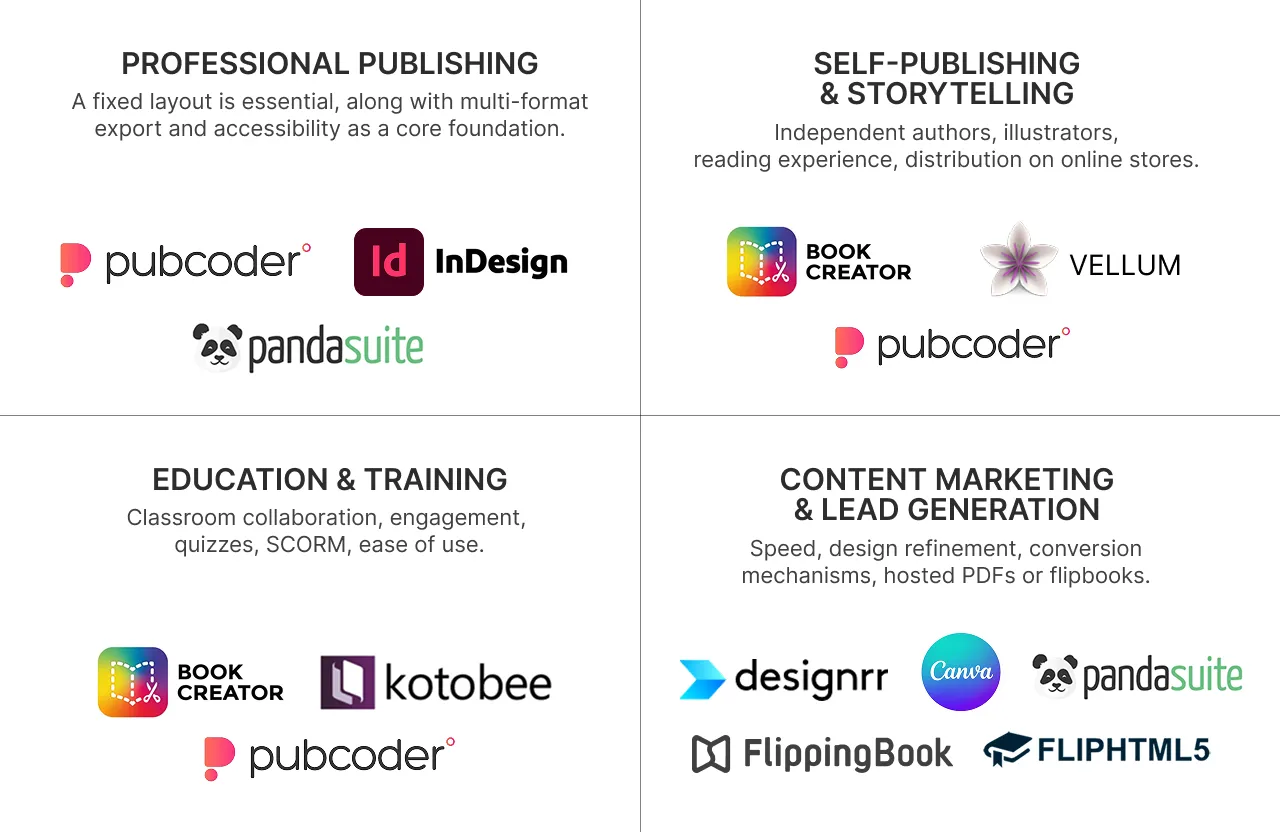
Before getting into individual tools, here’s the map. Most readers will recognise their situation in one of these four buckets:
1. Professional publishing. You’re a publisher, a children’s book studio, or a content agency. Your output needs to ship as a real product — on the App Store, Google Play, Apple Books, or through your own distribution channel. Fixed-layout matters, multi-format export matters, and accessibility is a baseline, not a feature. Cost matters less than control over the final result.
2. Self-publishing & storytelling. You’re an independent author, illustrator, or creator. Your ebook is a book — fiction, a children’s book you wrote, a memoir, an illustrated storytelling project — not a marketing asset. You care about the reading experience. Your hardest problem is usually distribution to the stores, not the tool itself.
3. Education & training. You’re a teacher, an instructional designer, a textbook publisher, a university or design-school instructor, or a corporate trainer. You care about classroom collaboration, student engagement, quizzes and assessments, SCORM for LMS delivery, and ease of use for non-technical creators — or, at the higher-ed end, teaching interactive publishing as a professional craft.
4. Content marketing & lead generation. Your “ebook” is really a marketing asset — a lead magnet, a free guide, a gated whitepaper, or a catalog you want prospects to click through. What matters is speed, design polish, and conversion mechanics like lead capture forms. The output is almost always a PDF or a hosted flipbook.
The eight tools in this guide each anchor one of these four use cases. Where they bleed into each other, I’ll say so.
Use case 1: Professional publishing
This is the category for anyone whose ebook is the product being sold through a publisher’s established channels — not a marketing asset, not a classroom exercise, but something that ships under a publishing imprint with the quality bar of a commercial title.
Before talking about tools, a technical distinction matters here. EPUB comes in two flavours. Reflowable EPUB — the default — lets text flow to fit any screen size; it’s how most novels, memoirs, and business books are published, because the reader controls font size and the layout adapts. Fixed-layout EPUB locks every element to a specific position on the page, the way a printed book does; it’s how children’s books, illustrated non-fiction, photography books, graphic novels, comics, and textbooks with complex layouts need to work, because the visual composition is part of the content.
The distinction matters because it determines which tool can do the job. Reflowable EPUB doesn’t support rich interactivity well, so in practice “interactive ebook” almost always means fixed-layout in a professional context. Children’s books are the archetypal example: fixed-layout, heavily illustrated, often with read-aloud audio, and frequently distributed as native iOS/Android apps alongside the EPUB. But the same technical requirements apply to illustrated non-fiction, photography books, graphic novels, corporate publications for external audiences, and any professional output where layout control, accessibility, and long-term quality matter more than speed-to-publish.
A word on accessibility before moving to the tools. Under the European Accessibility Act (in effect since June 2025), Section 508 in the US, the UK Equality Act, and comparable regulations worldwide, accessible digital content has moved from “nice-to-have” to market access requirement. Beyond the legal frame, professional publishing standards are converging on the view that ebooks should be accessible by design rather than remediated after the fact — the same way a printed book is typeset properly in the first place rather than fixed in a second print run. Any tool in this category should treat accessibility as a baseline, not as a premium feature or a separate workflow.
PubCoder
What it’s for: Desktop authoring software for fixed-layout interactive ebooks — children’s books, illustrated non-fiction, textbooks with complex layouts, comics, graphic novels — where the output needs to work as a real EPUB3 file, a native iOS or Android app, an HTML5 web experience, or all three from the same source project.
What it does well: PubCoder is built specifically for fixed-layout EPUB3 — the format children’s books, illustrated books, and design-heavy publications actually need, and the format most cloud-based tools handle badly or not at all. From a single project, you can produce an EPUB3 fixed-layout file, a native iOS app, a native Android app, an HTML5 web export, and KF8 for Kindle Fire. Most tools force you to pick one output channel and live with it.
Accessibility is treated as a baseline rather than an add-on. Every interactive element exports with proper keyboard navigation, ARIA roles, and EPUB 3 Media Overlays for synchronised text-and-audio — essential for read-aloud in children’s books, and for dyslexic and visually impaired readers more broadly. Alt text management is built into the image workflow, decorative images can be explicitly marked so screen readers skip them, and the sample project achieves zero Ace by DAISY validation errors out of the box.
Real-world use bears this out. PubCoder has been part of UNICEF’s Accessible Digital Textbooks initiative since 2018, helping ministries of education create accessible curriculum content for children with disabilities. Mondadori Education uses PubCoder for its Black Cat Cideb language learning brand. The tool has shipped projects ranging from augmented-reality picture books to dedicated reading platforms for dyslexic children — applications where the intersection of interactivity, fixed layout, and accessibility is the whole point.
For publishers with their own distribution needs, PubCoder offers SHELF — an optional white-label platform that ships branded reading apps without the publisher having to navigate App Store and Play Store submission themselves. It’s priced for B2B and isn’t the right fit for solo creators, but for publishing houses building their own branded libraries, it solves the distribution problem end-to-end.
What it doesn’t do: PubCoder is fixed-layout only; for reflowable ebooks — novels, long-form non-fiction, anything where you want text to reflow to the reader’s font-size preference — you need a different tool (Vellum for self-publishers, InDesign for professional publishing houses). PubCoder is also desktop-only (Mac and Windows — no Linux, no browser version), so cloud-document collaborative editing isn’t on the table. The template library is much smaller than Canva’s or Designrr’s, which means you’re starting from a more skeletal canvas. There’s a real learning curve compared to drag-and-drop tools aimed at non-designers — PubCoder rewards investment in mastering it. And it’s a subscription rather than a lifetime license, which is a friction point for occasional users.
Pricing: €99/year subscription, with a 15-day free trial (no credit card required). Education discounts up to 50% for schools and 30% for higher education. SHELF pricing is separate and depends on scope.
Best for: Children’s book publishers and studios, illustrated-book imprints, educational publishers producing fixed-layout content, agencies building interactive apps alongside ebooks, and any professional publishing context where accessibility and multi-format export are both required.
Not for: Teachers wanting students to make books in 20 minutes. Marketers producing one-off PDF lead magnets. Novelists writing long-form reflowable text. Anyone who wants a SaaS tool with no installation.
Adobe InDesign
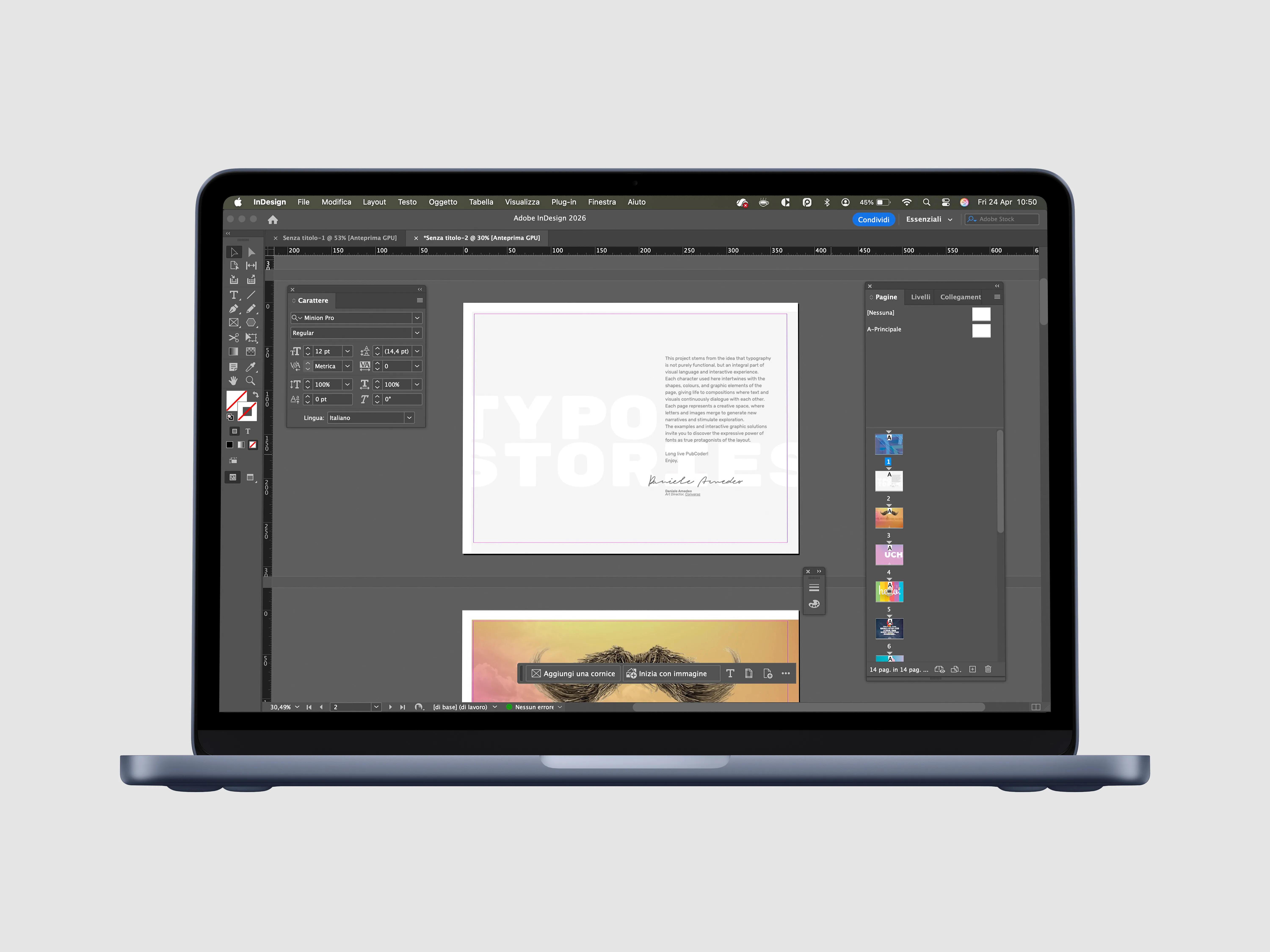
The historical gold standard for print and digital layout in professional publishing. InDesign can export to fixed-layout EPUB3, and for publishing houses with existing print workflows, it’s often where the book is already being produced.
What it does well: Nothing in publishing rivals InDesign for sheer typographic control, print-production discipline, and the sophistication of its master-page system. Unlike PubCoder, which is fixed-layout only, InDesign handles both reflowable and fixed-layout EPUB from the same source — which matters for publishing houses whose catalog mixes novels, business books, and illustrated non-fiction and who don’t want to run two separate tools. The EPUB export is technically compliant and works for straightforward fixed-layout outputs. For a publisher whose core product is still print and whose digital ebook is a secondary deliverable, InDesign is often the right answer because the book is already set there.
What it doesn’t do: InDesign is a layout tool that can export interactive EPUB3, not a tool built for interactivity. Animations, Media Overlays, audio-text synchronisation, and native app export require either workarounds or separate tools downstream. Accessibility metadata is manual — you can produce accessible EPUBs in InDesign, but the workflow assumes an expert operator, not a tool that validates as you go. And it’s Adobe Creative Cloud pricing, which is substantially more expensive annually than the specialised tools in this guide.
Pricing: Part of Adobe Creative Cloud; InDesign alone around $22.99/month, or bundled with the full suite at $59.99/month. Educational and team pricing available.
Best for: Publishing houses where print is the primary product and EPUB is a secondary deliverable; designers and typographers whose workflow is already Adobe-centric; books where typography and master-page discipline matter more than interactivity.
Not for: Interactivity-first projects; accessibility-mandated workflows where validation needs to happen continuously rather than as a final audit; anyone shipping to native mobile apps; teams that aren’t already fluent in Adobe Creative Cloud.
Use case 2: Self-publishing & storytelling
This is a category professional-publishing guides usually ignore, and it shouldn’t be. There’s a real and growing population of independent authors and creators producing interactive and illustrated work — children’s book authors who draw their own illustrations, memoir writers with archival photographs, comics and graphic novelists, storytelling projects that integrate audio or video, and educators making their own content to sell. For these creators, the ebook is the art — not a funnel stage — and they care about the reading experience the way a painter cares about the canvas.
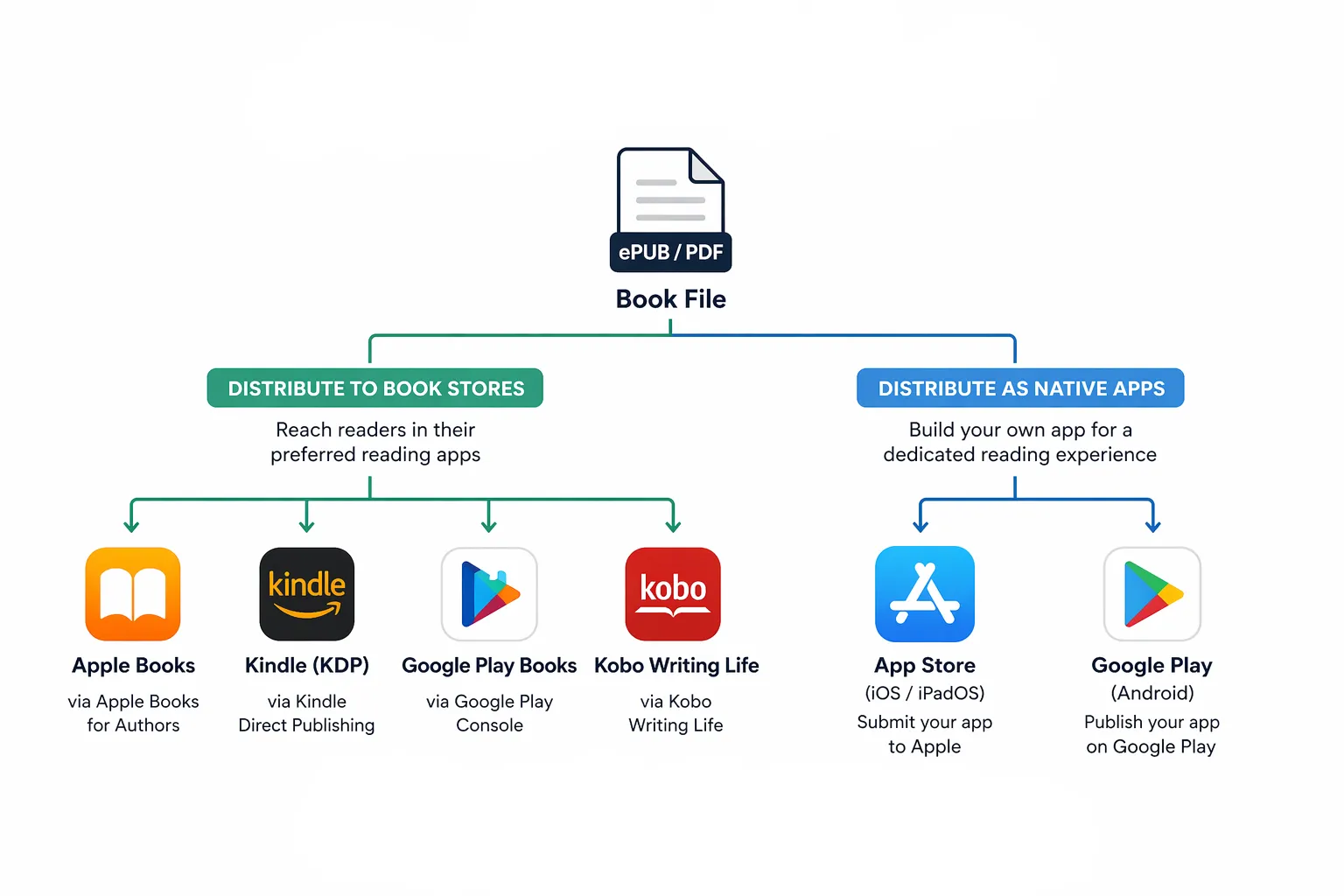
The authoring-tool question is, in some ways, the easier half of their problem. The harder half is distribution. Unlike a traditional publisher with existing trade relationships, a self-publisher has to learn the mechanics of each store themselves: Apple Books (accepts EPUB including fixed-layout), Amazon Kindle Direct Publishing (expects KF8/MOBI via their own conversion, limited interactivity support), Google Play Books (EPUB, patchy Media Overlays support), Kobo Writing Life (EPUB, still a real channel — Kobo is the third-largest ebook retailer globally and particularly strong in Canada, France, Japan, and the Netherlands), and — for native app versions — the Apple App Store and Google Play directly, which means app signing, store submissions, and annual developer account fees.
None of this is insurmountable, but it’s a real workload on top of actually writing and designing the book. It’s worth going in with eyes open.
PubCoder (for illustrated and interactive self-publishing)
What it’s for: Self-publishers whose work is genuinely interactive or illustrated — children’s books, picture books, memoirs with embedded audio, comics, any storytelling project where layout and interactivity matter. The same tool used by publishing houses, available on the same terms to individuals.
What it does well: The same strengths that apply to professional publishers apply to self-publishers: true fixed-layout EPUB3 output that works on Apple Books, native iOS and Android apps when you want to ship your book as a standalone experience, HTML5 export for your own website, and the accessibility features that increasingly matter to readers and to stores alike. Apple has been tightening accessibility signals in Apple Books; a fixed-layout EPUB that passes Ace by DAISY validation has a meaningfully better chance of being featured than one that doesn’t.
For an illustrator making their own picture book, or a creator producing an interactive memoir, the ability to get professional-grade output without a publishing deal is the point.
What it doesn’t do for solo creators: Distribution is on you. SHELF, PubCoder’s distribution platform, exists but is priced for publishing houses — it’s not a realistic option for someone self-publishing their first book. That means you’ll be uploading EPUBs to Apple Books, KF8 files to Kindle, EPUBs to Google Play Books and Kobo yourself, and navigating the App Store and Google Play directly if you want to ship a native app version. This is the honest trade-off: PubCoder gives you commercial-publisher quality output, but you’re responsible for doing what a commercial publisher’s distribution team would normally do. For many self-publishers that’s fine — they’d rather keep the royalties and control the timeline. For some it’s a dealbreaker.
Also worth knowing: PubCoder isn’t the right tool if your book is primarily long-form text with no interactivity. For a plain novel or non-fiction book aimed at Kindle readers, you’d be over-tooled.
Pricing: Same €99/year as the professional-publishing context. Some self-publishers use the free trial to finish and ship their first book, then decide whether to renew based on whether they’re producing enough to justify the subscription.
Best for: Illustrators self-publishing picture books; creators producing interactive memoirs or storytelling projects with mixed media; self-publishing educators producing their own course materials; comics and graphic novelists; anyone whose book is genuinely illustrated or interactive and who has the appetite to manage their own store distribution.
Not for: Novelists writing long-form text (see below). Creators whose ebook is really a lead magnet (Use Case 4). Anyone who wants someone else to handle the distribution mechanics.
Vellum (for reflowable fiction and non-fiction)
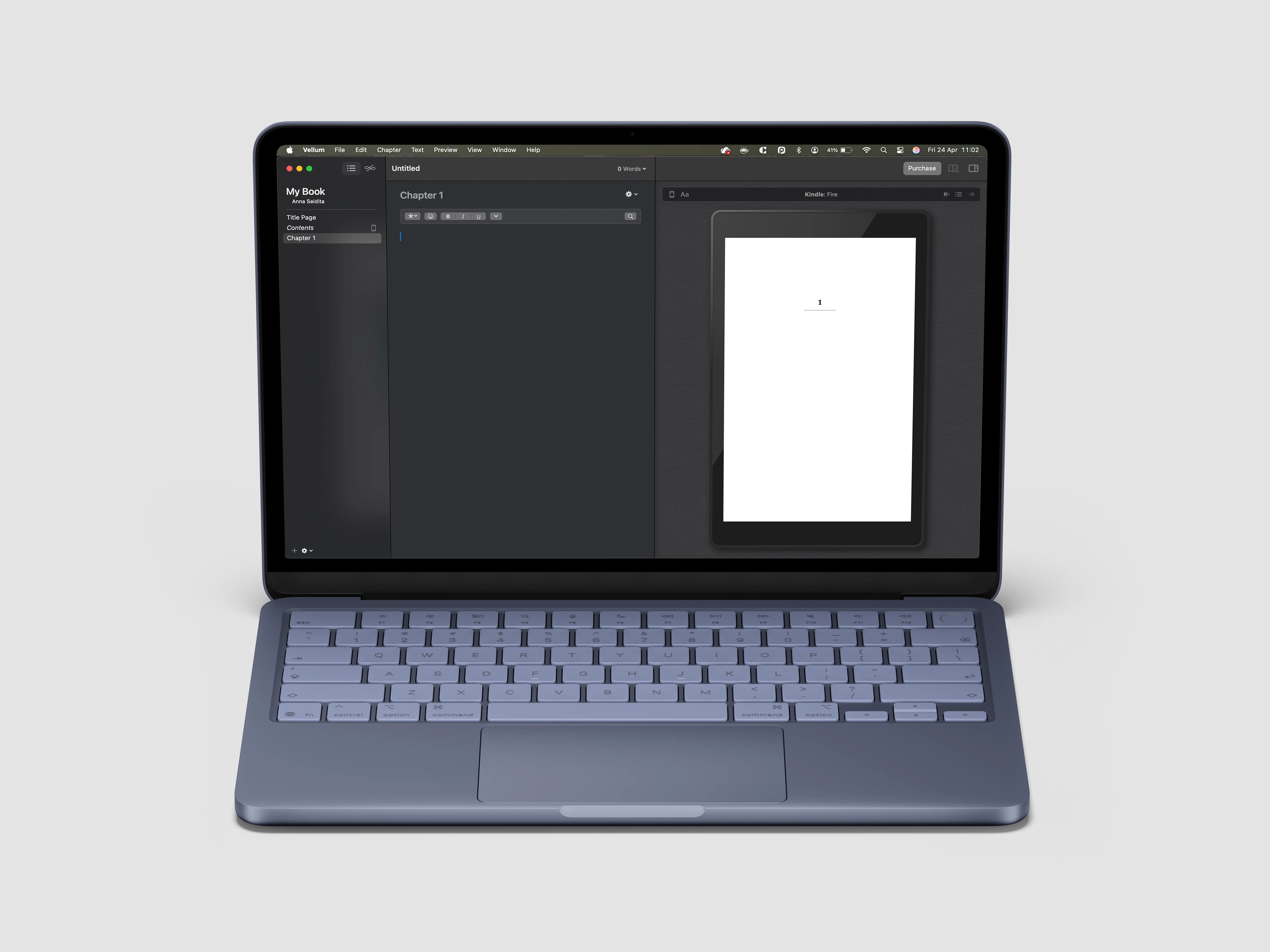
If your book is a traditional novel, a memoir that’s primarily text, or non-fiction without heavy interactivity, Vellum is the right answer and PubCoder isn’t. Vellum is Mac-only, focused on reflowable EPUB and print formatting, and produces clean, professional output for Kindle, Apple Books, Kobo, Nook, and print-on-demand services with very little fuss. Pricing is a one-time purchase (around €180 for the ebook package or €230 for ebook + print), which works well for authors who ship a book once every year or two.
It’s not an interactive ebook tool — there’s no animation, no Media Overlays, no app export — and it won’t appear again in this guide. But it’s genuinely the best-in-class choice for its specific job, and a self-publisher whose book is primarily text should start there rather than forcing a more complex tool.
Use case 3: Education & training
This category spans a wide range: K-12 classrooms where students and teachers are co-creating books; universities and design schools teaching interactive storytelling, digital literacy, and digital publishing as a professional craft; corporate training programs where SCORM packages need to plug into an LMS; and textbook publishers whose books sit somewhere between “professional publication” and “learning material.” There’s no single tool that covers all of this well, which is why three entries follow below — each anchored in a different segment.
If you’re a textbook publisher producing highly illustrated, fixed-layout content with accessibility requirements — where the textbook is effectively a commercial publication that happens to be educational — you may be better served by Use Case 1 (PubCoder, possibly in combination with InDesign for print-first workflows). The distinction is whether the book itself is the product (Use Case 1) or whether it’s part of a broader learning experience with tracking, assessments, or educational objectives (Use Case 3).
Kotobee Author (for corporate training and LMS-integrated courseware)
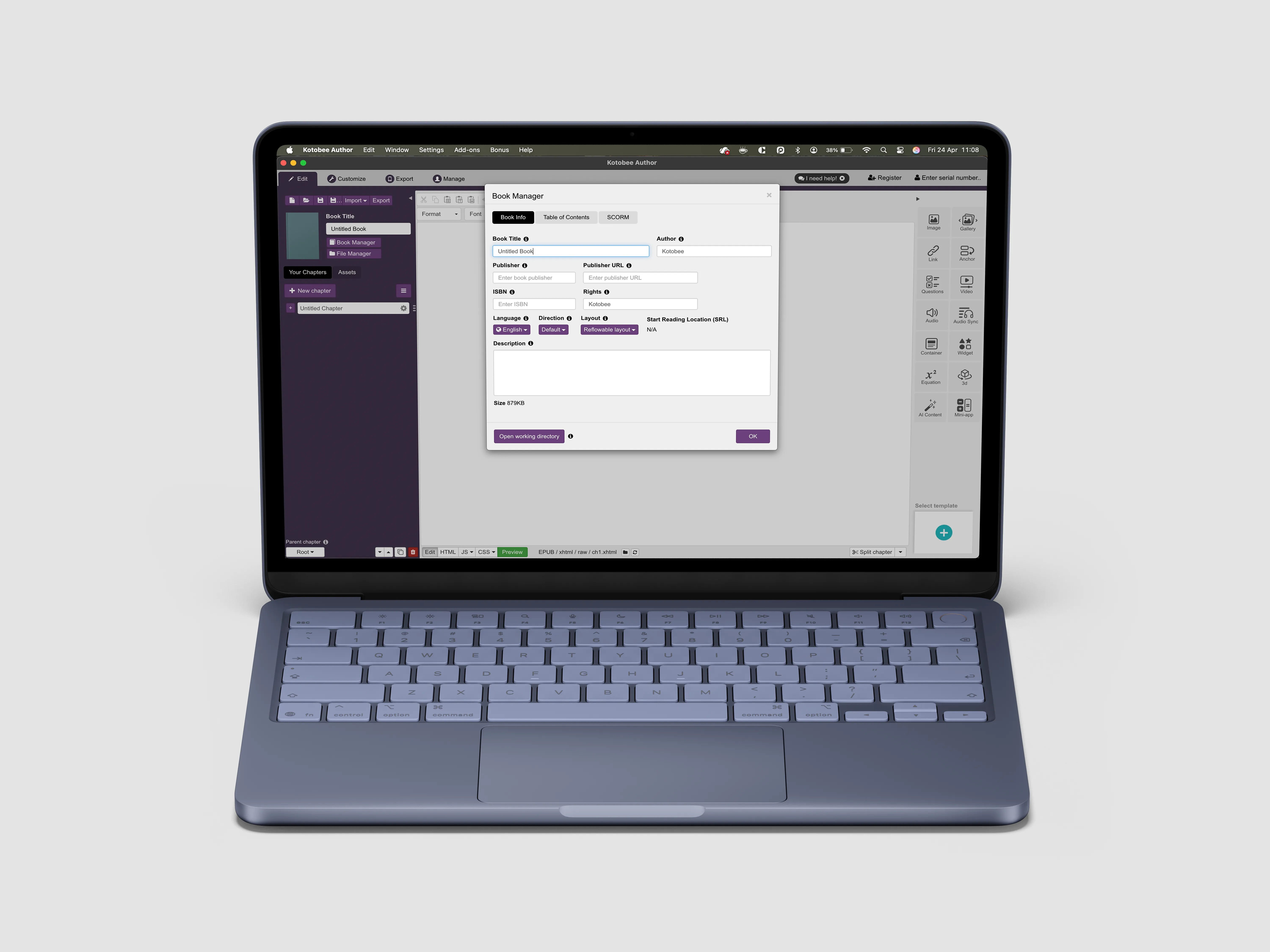
What it’s for: Interactive ebooks aimed primarily at corporate training and higher-education contexts where SCORM export, LMS integration (especially Moodle), and assessment features matter as much as the book itself.
What it does well: Kotobee has the broadest export range in this guide — over ten formats including SCORM packages for LMS deployment, EPUB, mobile apps, and a proprietary Kotobee Reader format. The widget system supports questions, self-assessments, and integrations with third-party tools like BookWidgets, which is genuinely useful in an instructional design workflow. Customer support gets consistently strong reviews — multiple G2 and Capterra reviewers single out individual support reps by name, which is unusual.
What it doesn’t do: EPUB export quality has a mixed reputation in recent third-party reviews. Worth testing carefully before committing to it for traditional ebook distribution. Accessibility tooling exists but isn’t the first-class concern it is in PubCoder; if Ace by DAISY validation is a requirement, expect more manual remediation.
Pricing: Lifetime licenses (one-time purchase) starting at $150 for Basic, $300 for Premium, and up to $2,000 for Institutional — with optional annual renewal for continued upgrades. The lifetime model is appealing for budget-constrained creators, but understand that “lifetime” means lifetime of that version unless you pay to upgrade.
Best for: Corporate trainers, eLearning developers, instructional designers building SCORM-packaged courseware, educators in LMS-heavy environments, and textbook publishers whose output is primarily digital course material rather than a standalone book.
Not for: Publishers prioritising EPUB distribution to commercial bookstores. Projects with hard accessibility compliance requirements where manual remediation isn’t acceptable. Children’s book publishers needing true fixed-layout control.
Book Creator (for K-12 classrooms)
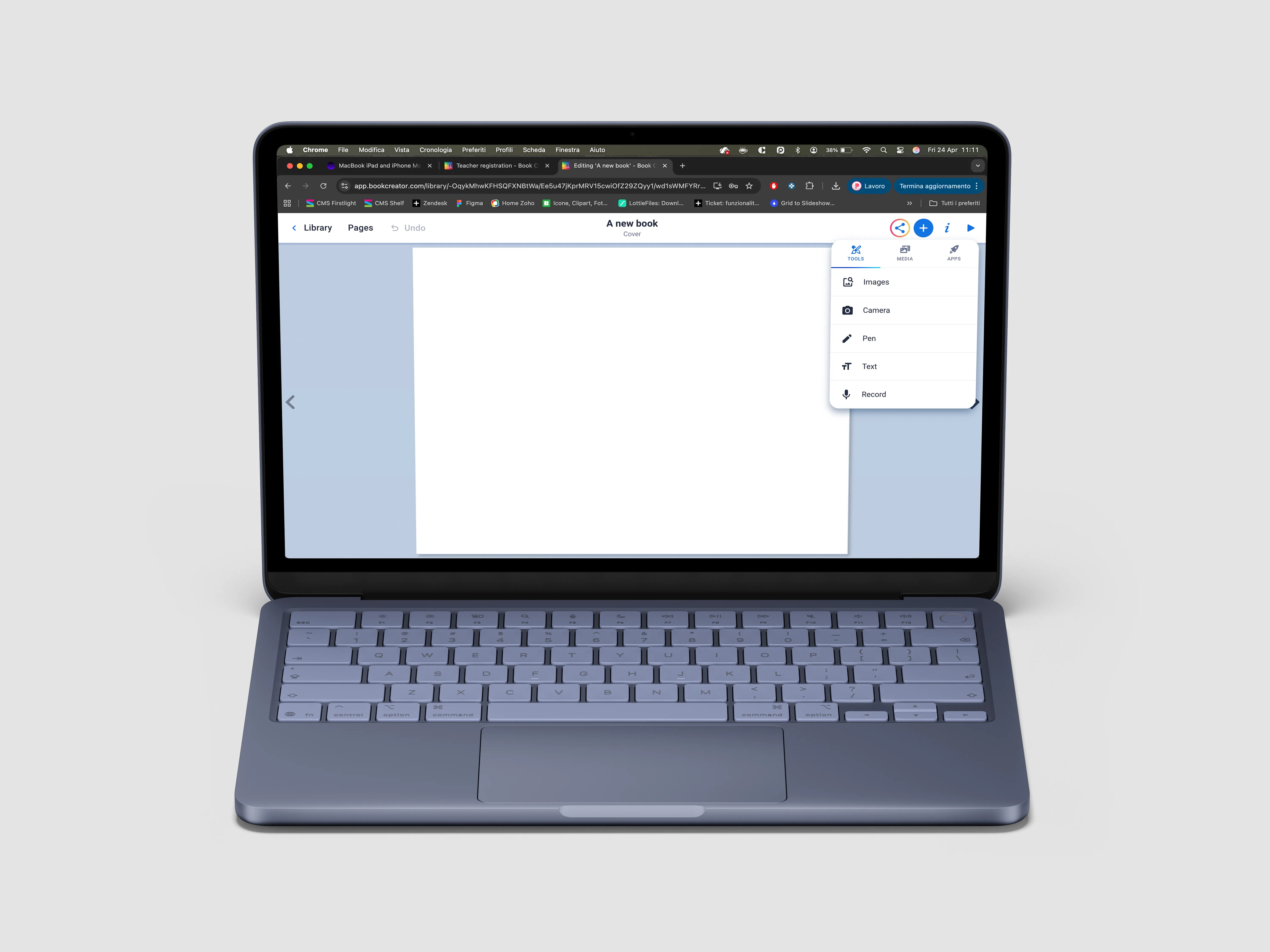
What it’s for: K-12 classrooms — students and teachers making books together, primarily on iPads or in browsers, with collaboration as a core feature.
What it does well: This is the easiest tool in the guide. Students can record voice, draw, drop in images, embed video, and publish a finished book in a single class period. The web version added in the last few years removed the iPad-only limitation that historically held it back, and the multi-author collaboration flow is genuinely well designed for classroom use. If you’ve ever seen a 7-year-old finish their first book in 40 minutes and email it home with pride, it was probably made in Book Creator.
What it doesn’t do: This is not a tool for professional publishers or commercial distribution. The interactivity is shallow by design (it’s optimised for ease-of-creation, not depth-of-output). Export options are limited compared to professional tools. There’s no fixed-layout EPUB3 control, no native mobile app export, no SCORM, no real accessibility validation workflow.
Pricing: Free tier with limits, Premium at around $14/month or $135/year per teacher, with school and district pricing available.
Best for: K-12 teachers, primary and secondary school classrooms, student-created content, and any educator who values “the kid finished a book today” over “the export passes EPUB validation.”
Not for: Professional publishing. Anything you intend to sell on Apple Books, distribute to ministries of education, or deploy at scale in corporate training.
PubCoder (for universities and design schools teaching interactive publishing)
What it’s for: Universities, design schools, and higher-education programmes teaching interactive publishing, digital literacy, and interactive storytelling as a professional craft — where students are learning the tool and the discipline of contemporary digital publishing, not just producing classroom books.
What it does well: This is a genuinely distinct sub-segment, and one where PubCoder fits naturally. The same characteristics that make PubCoder a good fit for professional publishers — fixed-layout EPUB3 control, native app export, accessibility as a baseline, and a real authoring environment rather than a template drag-and-drop — make it a good fit for teaching the craft. Students coming out of a design-school programme need to learn tools they’ll actually encounter in industry, not simplified classroom environments they’ll have to unlearn later.
PubCoder is used in this capacity by institutions including NABA (Nuova Accademia di Belle Arti) in Milan, where students work on interactive storytelling and digital publishing projects, and by Mondadori Education’s editorial teams producing language-learning textbooks under the Black Cat Cideb brand. The tool covers a substantial range within one category: from student learning exercises to commercial educational publishing.
Education discounts are meaningful — up to 50% for schools and 30% for higher education and university programmes — which makes the tool accessible to institutions and individual students on a budget.
What it doesn’t do: PubCoder isn’t a classroom-collaboration tool in the Book Creator sense; each student typically works on their own project rather than co-editing in real time. It’s not a SCORM packager — if your programme needs to deploy courseware into an LMS with tracking, Kotobee handles that better. And it’s desktop software, which means the school needs Mac or Windows labs; there’s no Chromebook or iPad story.
Pricing: €99/year standard, with up to 30% off for higher education and 50% off for schools. Contact the team for specific educational licensing.
Best for: Design schools teaching interactive storytelling, graphic design, or publishing; university programmes in digital humanities, digital publishing, or educational technology; textbook publishers producing fixed-layout illustrated content at scale.
Not for: K-12 classrooms where students need drag-and-drop simplicity (use Book Creator). SCORM-based corporate training (use Kotobee). Programmes where students need to collaborate in real time on shared documents.
Use case 4: Content marketing & lead generation
This is the “your ebook is really a marketing asset” category. The output is almost always a PDF — something a prospect downloads in exchange for an email address, reads to build trust in your brand, and ideally passes along to a colleague. Deep interactivity doesn’t matter here. Design polish, speed of production, and conversion mechanics (lead-capture forms, tracking, calls-to-action) do.
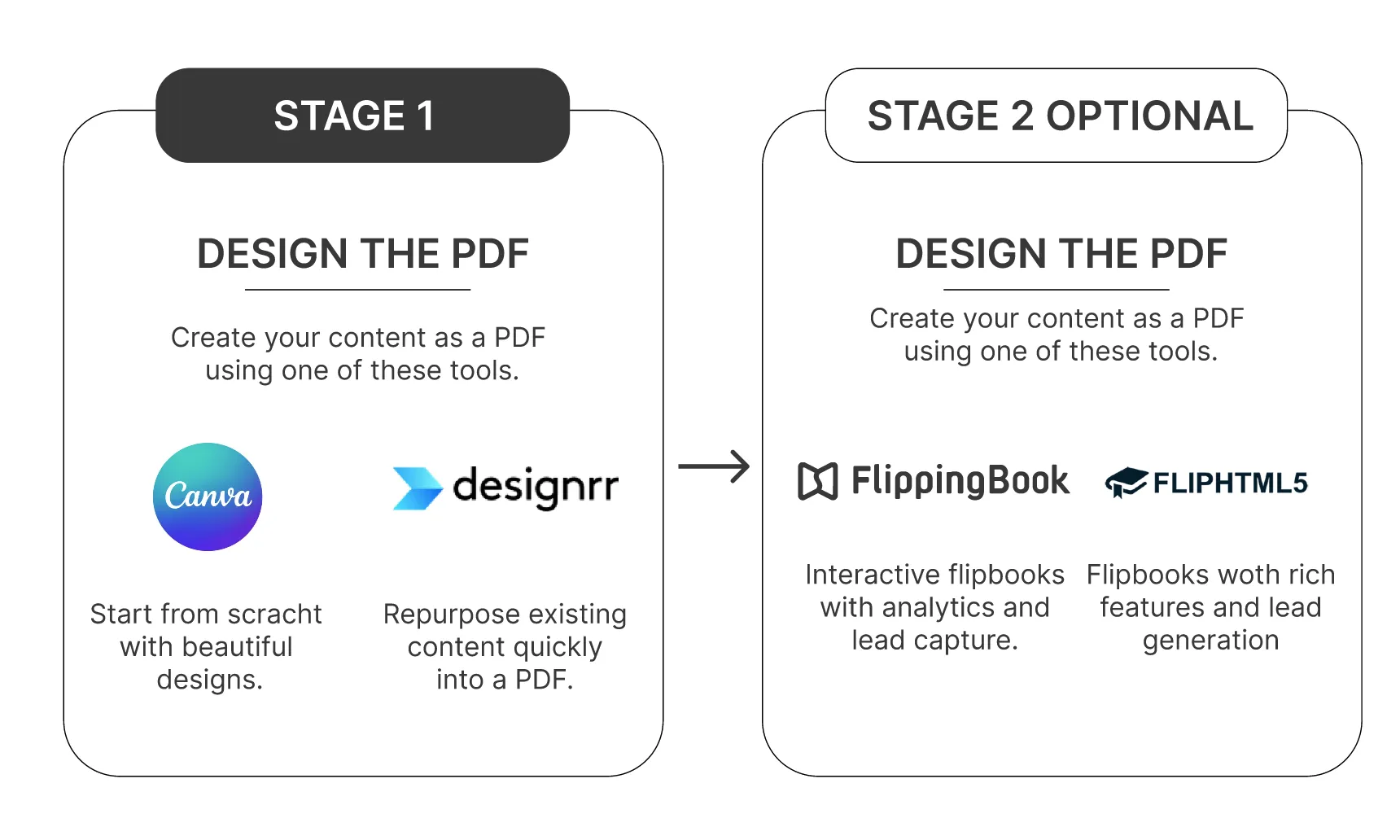
There are two stages to the workflow, and they typically use different tools. First, you design the PDF itself — that’s Canva or Designrr, depending on whether you’re starting from scratch or repurposing content you already have. Second, if you want to present that PDF as a hosted flipbook with lead capture and analytics rather than a straight download, you push it through FlippingBook or FlipHTML5. These tools complement each other; they’re not alternatives.
Designrr
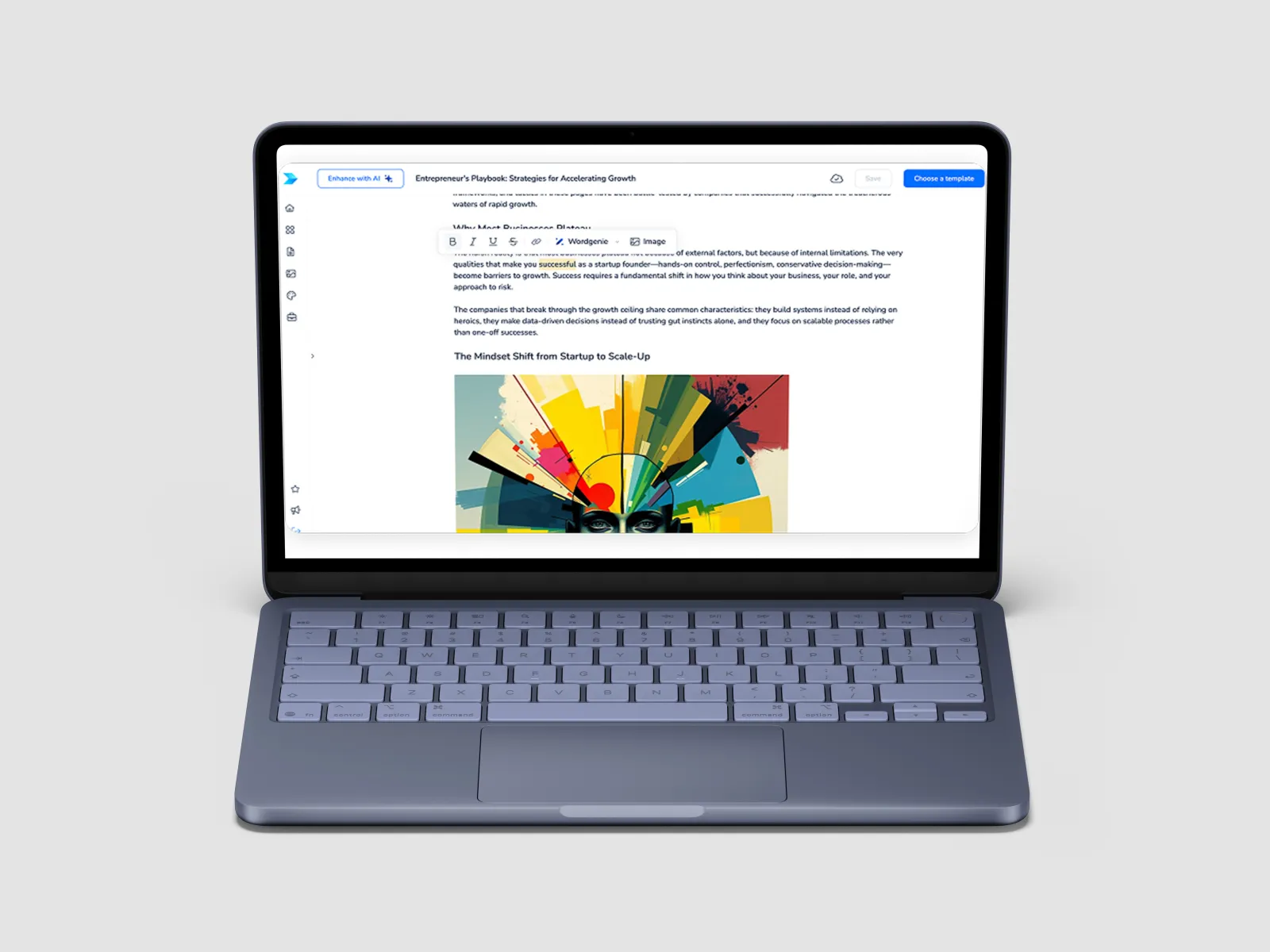
What it’s for: Turning content you already have — blog posts, podcast transcripts, YouTube video transcripts, PDFs — into ebooks, lead magnets, and downloadable guides. The pitch is repurposing speed, not from-scratch authoring.
What it does well: The import workflow is the standout feature. Paste a blog URL, upload a podcast audio file, drop in a Word doc, and Designrr will import the content with formatting roughly preserved, ready for template-based design. For content marketers who already have a blog archive, this turns “I should make a lead magnet” from a week-long project into an afternoon. Templates are reasonably polished, and exports cover PDF, EPUB, Kindle, and “flipbook” web formats.
What it doesn’t do: Designrr is not a real interactive ebook tool. There’s no fixed-layout EPUB3 output, no native app export, no Media Overlays, no meaningful accessibility tooling, no animation system. If you’re producing a PDF or a basic reflowable EPUB, it’s fine; if you’re producing anything that needs to function as a true interactive publication, it isn’t the right tool.
Pricing: Standard at around $29/month, Premium at around $49/month. A lifetime deal frequently surfaces for around $27 one-time — verify current offers, since these come and go.
Best for: Content marketers building lead magnets, bloggers monetising their archive, course creators bundling guides as bonuses, anyone whose ebook is really a PDF in disguise.
Not for: Publishers, fixed-layout content, children’s books, self-publishers producing illustrated work.
Canva
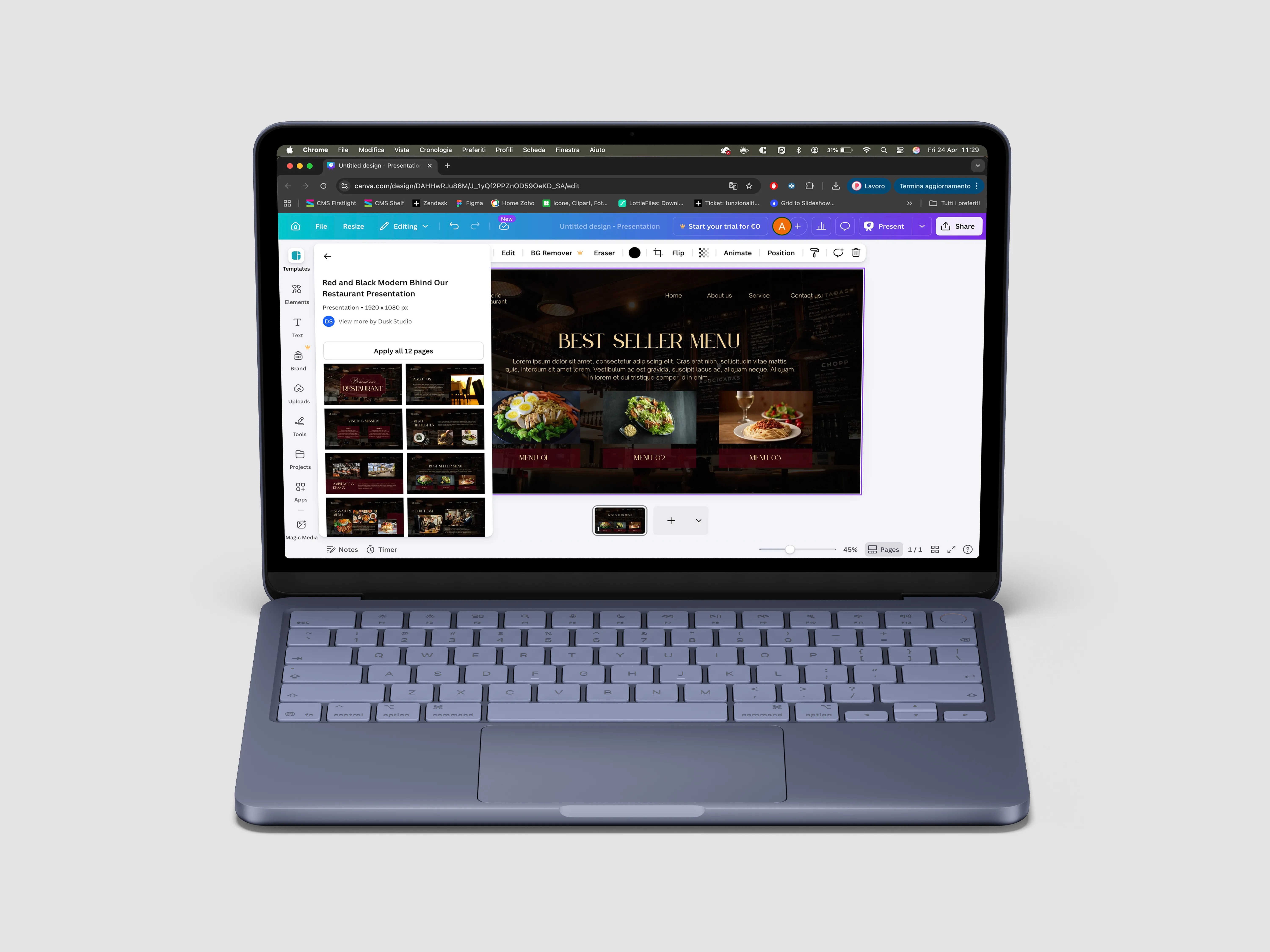
What it’s for: General-purpose visual design that happens to include ebook templates among its 250+ output formats. The Swiss Army knife of design tools.
What it does well: The template library is enormous, the drag-and-drop editor is genuinely the easiest in this entire guide, and brand kits and shared design libraries make it strong for teams producing consistent visual assets. For a short visual ebook — say, a 20-page lead magnet, a workbook, or a portfolio piece — Canva will get you to a polished result faster than any dedicated tool.
What it doesn’t do: Canva treats ebooks as just another canvas size. There’s no dedicated long-form workflow, no automatic table of contents generation, no proper EPUB3 output (the EPUB export exists but is widely reported as inconsistent), no fixed-layout support, no interactivity beyond hyperlinks, and no accessibility validation. Pasting long-form content from Word or Google Docs into Canva is genuinely tedious — there’s no smart import.
Pricing: Free tier, Pro at $15/month, Teams pricing has risen significantly in the last year.
Best for: Short visual ebooks, lead magnets where design polish matters more than book functionality, marketers and small teams already using Canva for everything else.
Not for: Long-form books, anything requiring EPUB distribution, accessibility-compliant projects, deep interactivity.
Companion tools: FlippingBook and FlipHTML5
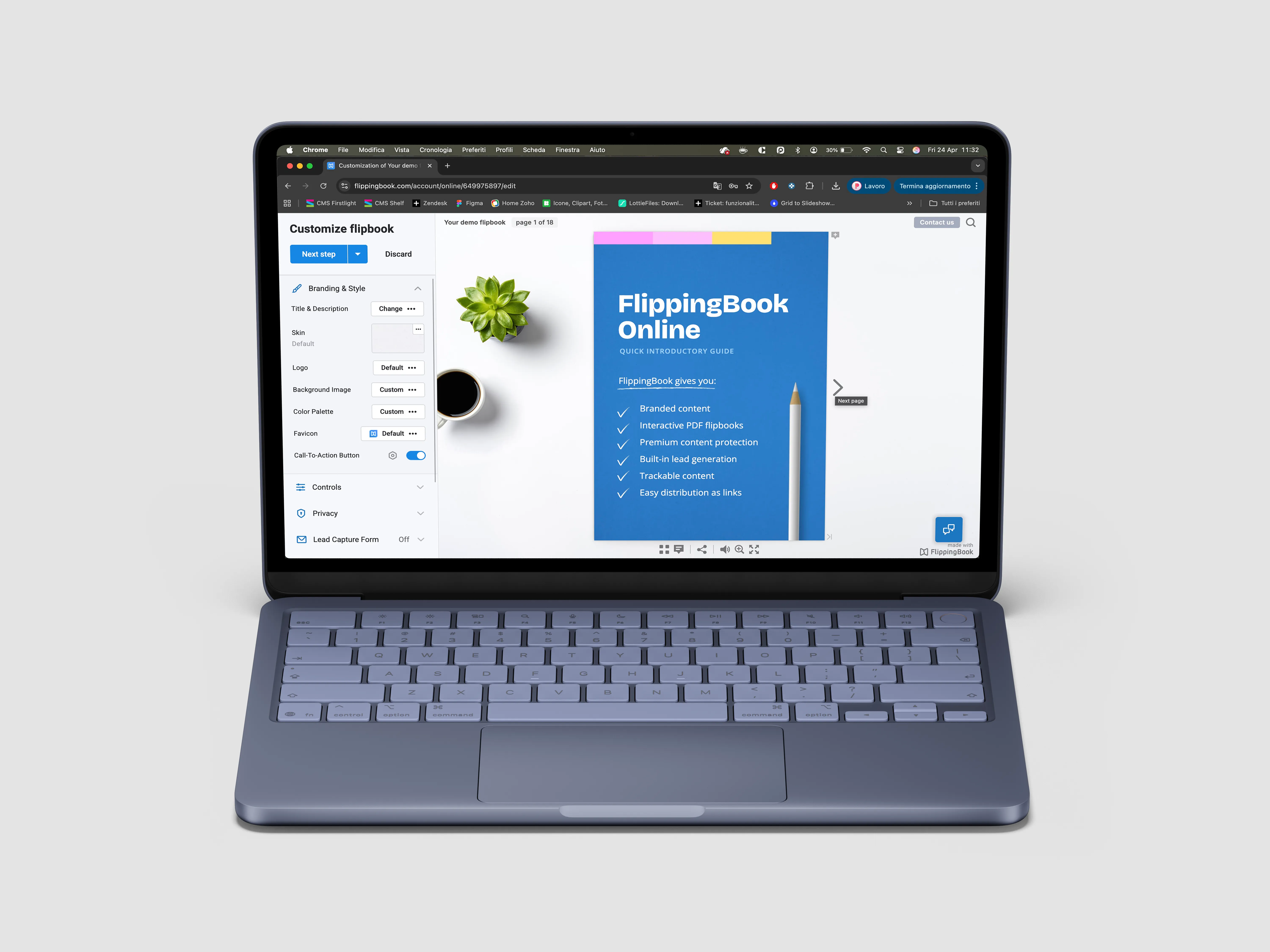
Once you’ve designed a lead magnet or marketing PDF in Canva or Designrr, you may want to present it as a hosted flipbook rather than a straight download — with page-flip animations, embedded video, lead-capture forms, and per-recipient analytics. That’s where FlippingBook and FlipHTML5 come in. Neither tool has an authoring environment; they both take a finished PDF as input and wrap it in a flipbook reader with tracking and lead-capture features on top. Think of them as distribution layers rather than creation tools.
FlippingBook is the premium option, aimed at mid-to-large companies. Flipbook quality is the best in the category — smooth animations, crisp typography, strong mobile reading experience. Lead capture, per-recipient document tracking, CRM integrations via Zapier, password protection, and content security are mature. If you’re sending a sales proposal and want to know whether the prospect actually read page 12, this is the tool that tells you. Starts around $44/month billed yearly for the entry plan. Best for B2B marketers and sales teams where the analytics justify the price.
FlipHTML5 is the budget alternative. The free tier is genuinely usable (with watermarks and ads), and paid plans start around $12.50/month — dramatically lower than FlippingBook. Flipbook quality and content protection don’t match FlippingBook’s polish, and support is reportedly slower, but for individual creators and smaller publishers who want a hosted bookcase for their back catalog or a simple lead-capture flipbook, it’s a reasonable choice. Best for solo creators, budget-conscious publishers, and anyone monetising a magazine or catalog archive.
Both are optional add-ons rather than alternatives to Canva or Designrr. If you just want to email a PDF to prospects, you don’t need either. If you want analytics, lead capture, and flipbook presentation on top of your existing PDF workflow, pick FlippingBook for enterprise polish or FlipHTML5 for budget.
Sidebar: No-code interactive apps — PandaSuite
PandaSuite doesn’t fit cleanly into any of the four use cases, but it shows up often enough in “best ebook software” lists to deserve a mention. It’s actually a no-code app builder used to create interactive product guides, museum exhibits, training modules, and occasionally ebook-like experiences. The drag-and-drop editor handles animations, page transitions, and media layers, and exports to iOS, Android, and web.
Best for: Brands wanting to build a one-off interactive experience that feels like an app rather than a book. Museums, marketing teams producing immersive product showcases.
Not for: Publishers wanting EPUB output, traditional book formats, or accessibility validation against ebook standards. Reviewers consistently flag the learning curve as steep — closer to “learn a creative tool” than “drag and drop your way to a finished book.”
Pricing: Free tier with limited projects; publishing plans start around $79/month per app, with discounts for education and non-profits.
Quick comparison table
| Tool | Best for | Key outputs | Accessibility | Pricing |
|---|---|---|---|---|
| Professional publishing | ||||
| PubCoder | Children's books, illustrated publishing, design-school teaching | EPUB3 FXL iOS Android HTML5 | Built-in | €99/yr |
| Adobe InDesign | Print-first workflows, EPUB as secondary deliverable | Print PDF EPUB3 FXL | Manual | ~$23/mo |
| Self-publishing | ||||
| Vellum | Reflowable fiction & non-fiction (Mac only) | EPUB Kindle Print PDF | Basic | ~€180 once |
| Education & training | ||||
| Kotobee | SCORM courseware, LMS training, digital textbooks | SCORM EPUB Apps | Manual | $150–2k once |
| Book Creator | K-12 classrooms, student-created content | Web EPUB PDF | Basic | Free / $14/mo |
| Content marketing | ||||
| Designrr | Lead magnets, content repurposing | PDF EPUB Kindle | None | $29–49/mo |
| Canva | Short visual ebooks, design polish | PDF EPUB | None | Free / $15/mo |
| Flipbook distribution (companion tools) | ||||
| FlippingBook | Sales flipbooks with analytics | Hosted flipbook | Limited | From $44/mo |
| FlipHTML5 | Budget flipbooks, back-catalogs | Hosted flipbook | Limited | Free / $12.50/mo |
| Other | ||||
| PandaSuite | No-code interactive apps, museum experiences | iOS Android Web app | Limited | From $79/mo |
All pricing verified May 2026 — confirm on each provider’s site before committing.
How to choose: a six-question decision tree
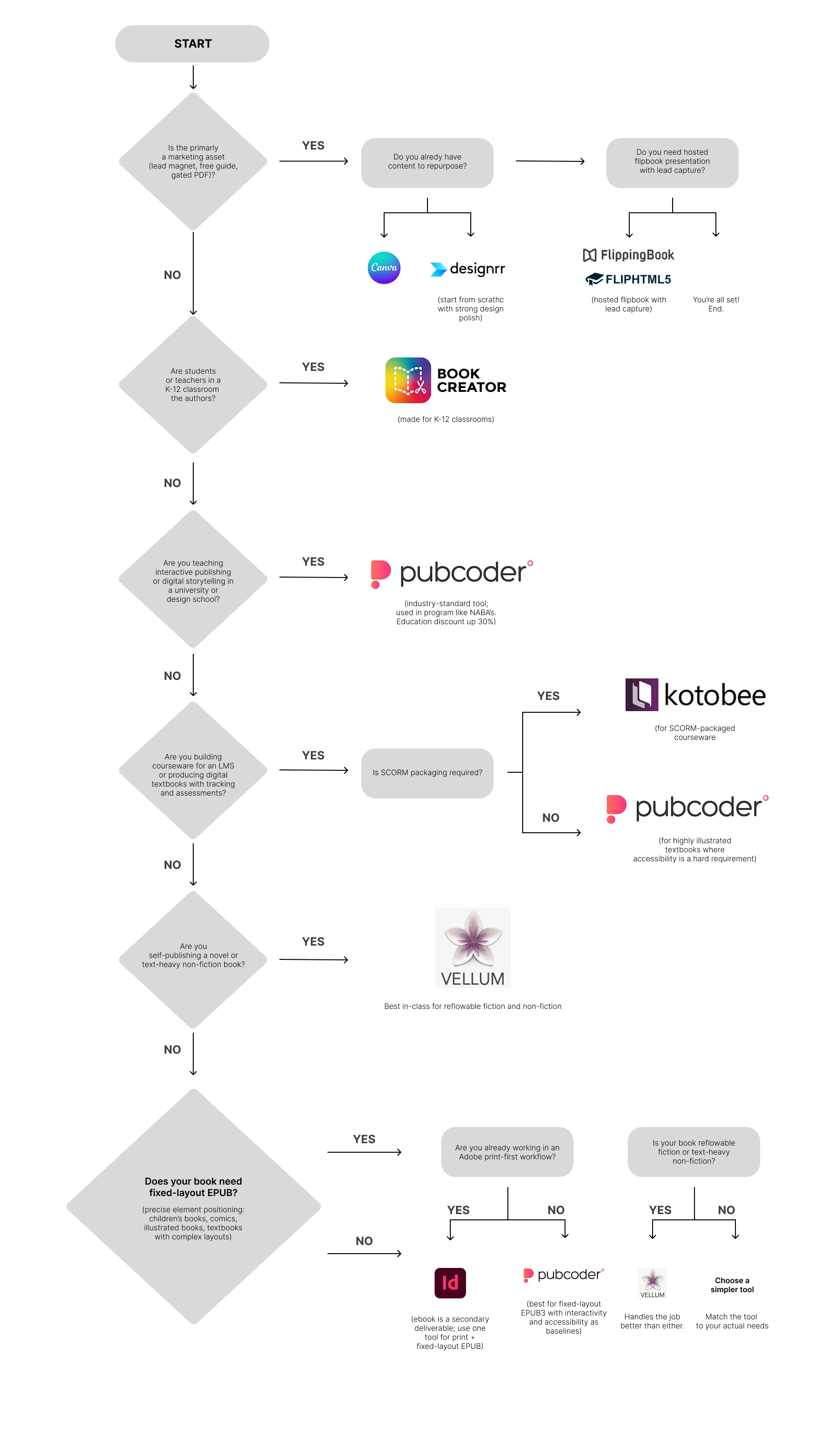
The decision tree in visual form. Click the image to view full-size — save or bookmark if you’re evaluating tools for your team.
If you’re still not sure which fits, work through these in order:
1. Is this primarily a marketing asset (lead magnet, free guide, gated PDF)? If yes → Designrr if you’re repurposing existing content; Canva if starting from a blank page and design polish matters most. Add FlippingBook or FlipHTML5 on top if you need hosted flipbook presentation with lead capture.
2. Are students or teachers in a K-12 classroom the authors? If yes → Book Creator. Nothing else in this category is as kind to non-technical users in classrooms.
3. Are you teaching interactive publishing or digital storytelling in a university or design school? If yes → PubCoder. It’s the tool students will encounter in industry, and it’s used in programmes like NABA’s. Education discount up to 30% for higher ed.
4. Are you building courseware for an LMS, or producing digital textbooks with tracking and assessments? If yes → Kotobee Author for SCORM-packaged courseware; PubCoder if the textbook is highly illustrated and accessibility is a hard requirement.
5. Are you self-publishing a novel or text-heavy non-fiction book? If yes → Vellum (Mac-only). It’s the best-in-class choice for reflowable fiction and non-fiction where interactivity isn’t the goal.
6. Does your book need fixed-layout EPUB — where every element is positioned precisely on the page, as in children’s books, illustrated non-fiction, photography books, comics, or textbooks with complex layouts? If yes → PubCoder, whether you’re a publishing house, a self-publisher, or an educational institution. It’s the only tool in this guide built specifically for fixed-layout EPUB3 with interactivity and accessibility as baselines. InDesign is the alternative if you’re already a print-first Adobe shop, the ebook is a secondary deliverable, and your catalog also includes reflowable titles (novels, business books) that benefit from using one tool for both formats. For self-published reflowable fiction, Vellum (Mac-only) handles that specific job better than either.
If you’ve worked through all six and are still considering PubCoder, the honest test is: do you need fixed-layout EPUB3, native mobile app export, or professional-grade accessibility? If none of those three matter to your project, you probably don’t need PubCoder — pick something simpler. If any of them do, that’s the case for PubCoder.
What’s missing from this guide (and why)
A few tools you might have expected to see and didn’t:
- Pressbooks is the right answer for a specific niche — university-published open educational resources — but its WordPress-based interface and academic focus make it a poor fit for everything else.
- Kindle Create, Apple Pages, Google Docs, and similar general-purpose tools can produce ebooks but aren’t designed for interactivity.
- Adobe Captivate, Articulate Storyline, and other dedicated eLearning authoring tools overlap with Kotobee for SCORM courseware, but are really learning-management tools rather than ebook tools.
The tools covered above handle the great majority of real interactive-ebook use cases as of 2026.
A final note on positioning honesty
If you’ve read this far, you’ve noticed I’ve been openly critical of PubCoder where it’s the wrong tool — it’s not a fit for K-12 classrooms, lead magnets, novels, or marketing flipbooks, and I’ve said so. That’s not modesty. It’s that “interactive ebook software” is a genuinely fragmented category, and pretending one tool is best for every use case is exactly the kind of marketing claim that makes these comparison guides useless.
The right tool depends on what you’re making, who it’s for, and what trade-offs you can live with. If your project is in PubCoder’s sweet spot — professional publishing, self-publishing illustrated or interactive work, children’s books, higher-ed or design-school teaching, fixed-layout content, multi-format export, accessibility as a baseline — you can start a free 15-day trial here. If it isn’t, one of the other tools above almost certainly is.
Last updated May 4, 2026. Pricing and feature information verified against vendor websites at time of publication — software vendors update pricing frequently, so confirm on each provider’s site before committing.

Ready for take off?
Download and install PubCoder on your Mac or PC. Your 15 day free trial will start automatically.