PubCoder 6 is out today. It's the biggest update in years: an AI assistant that works inside your project, import from Word and EPUB, automatic read-aloud sync, and text that flows from page to page. Watch it in under three minutes.
Download PubCoder 6 · See the plans · What changes for you
What's new
An AI assistant that edits your pages
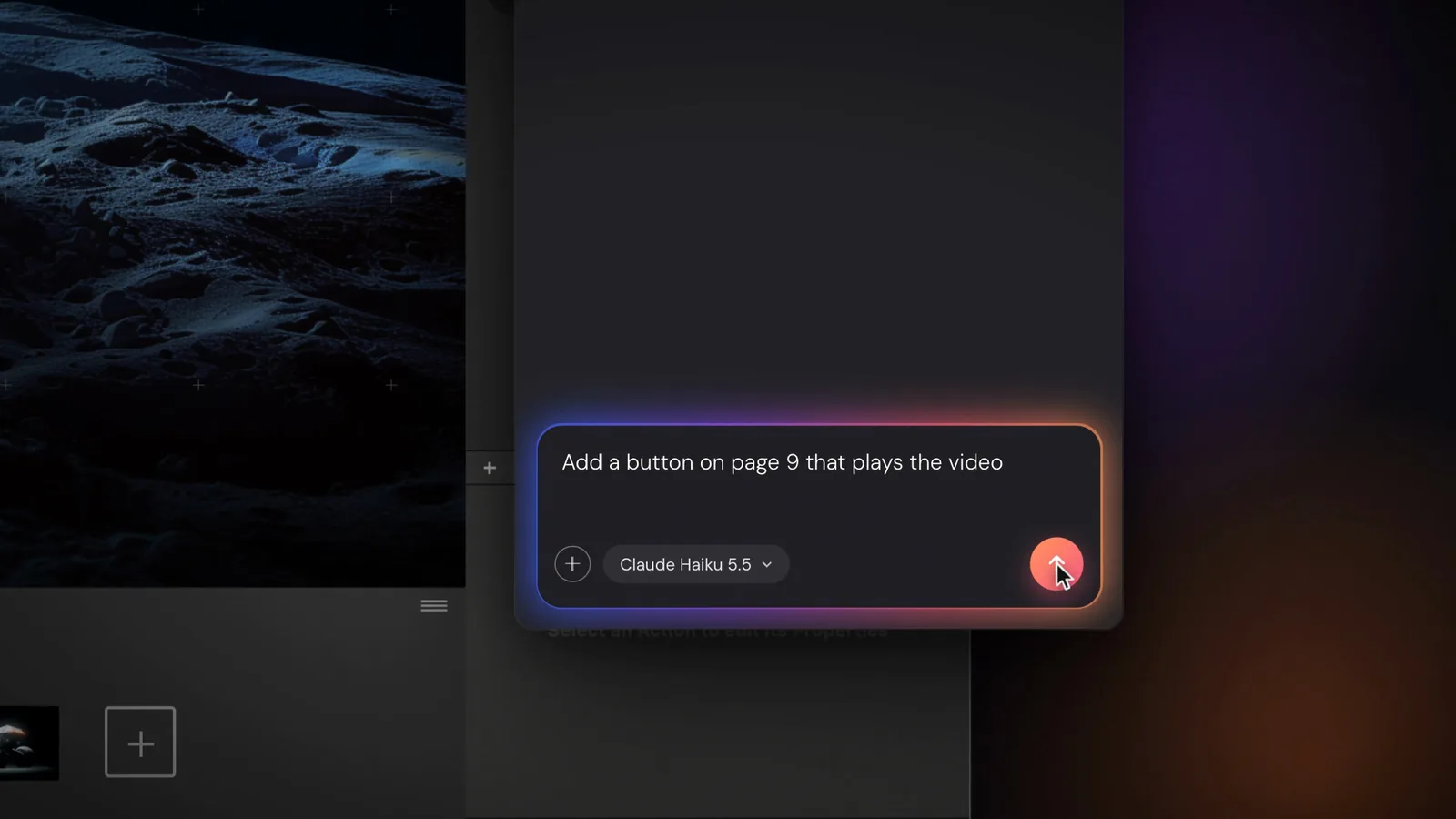
Describe what you want, and the assistant builds it in your project: a whole book from one prompt, new pages, layouts, quizzes, animations, translations. It changes the font of the whole book, resizes every title or adds a language to every page. You see every change, and you can edit or undo anything it does.
The assistant works with your own API key from Claude, OpenAI or Gemini, and you pay the provider directly for what you use. We add no markup. A Claude or ChatGPT subscription is not the same thing as an API key: see Set up the AI assistant. (Pro)
From Word to accessible EPUB, in a few clicks
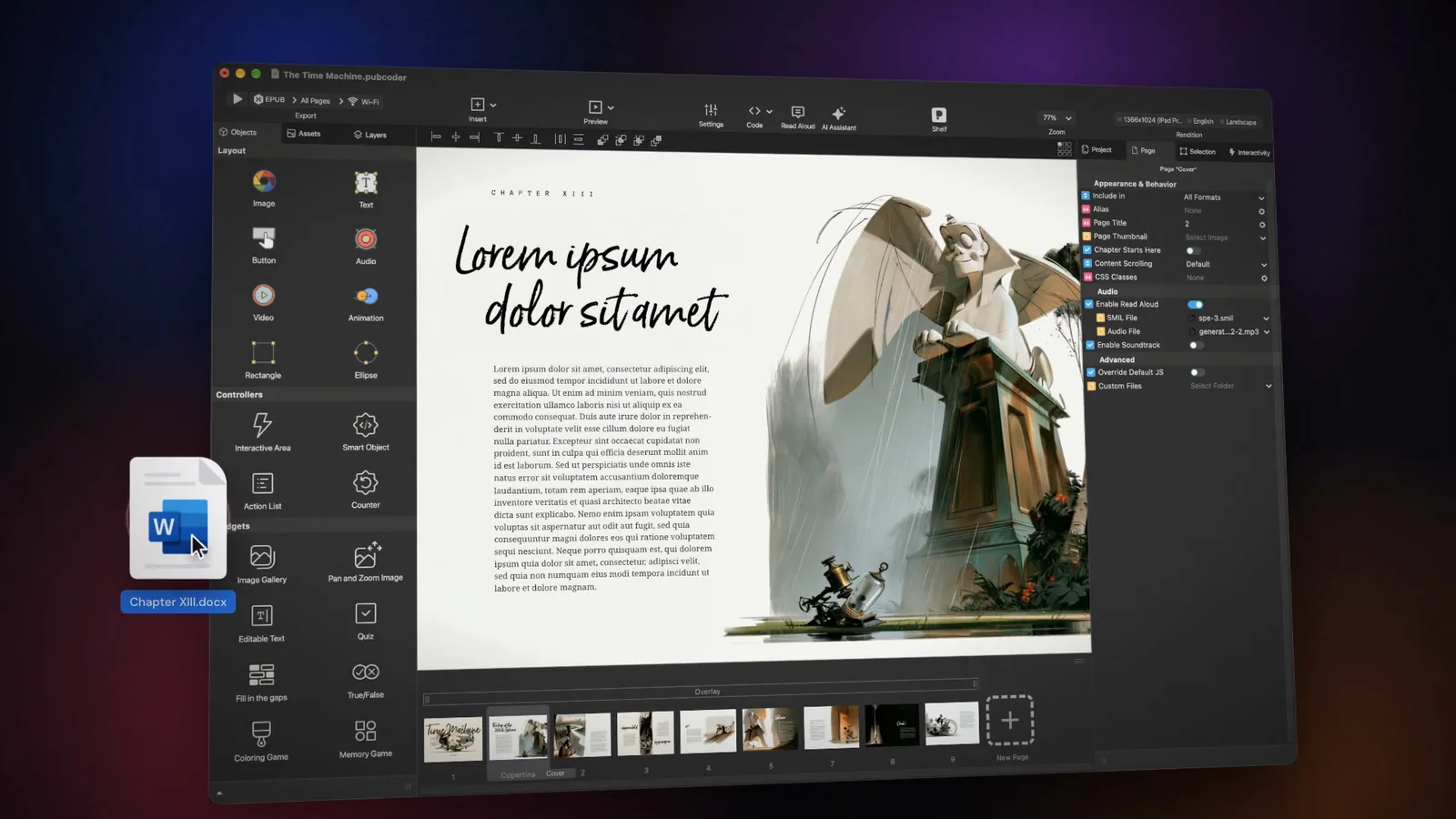
Import a Word, TXT, RTF or Markdown file, or a reflowable EPUB, and lay it out as an interactive or fixed-layout ebook. Then export an EPUB 3 that passes Ace by DAISY with zero errors, ready for the European Accessibility Act. (Import is Pro; accessible EPUB export is in both plans.)
Automatic read-aloud sync
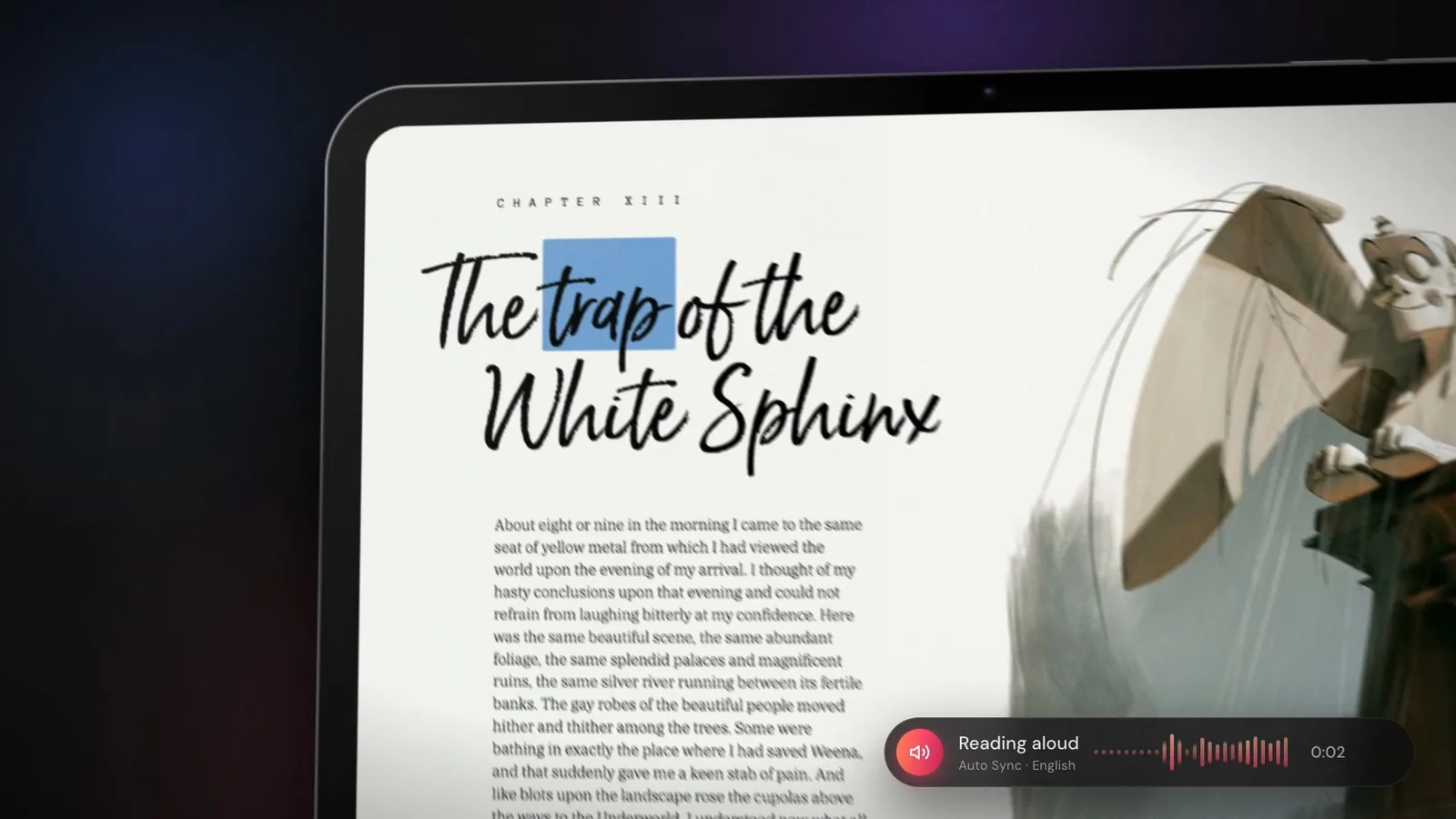
Add your narration and PubCoder syncs it to the text, building the EPUB 3 media overlays for you. You choose how the text is highlighted while it's read: by sentence or by word. No manual timing, and it all runs on your computer: nothing is uploaded, and there are no credits to buy. On a Mac, PubCoder can also generate the voice for you, as you see in the video; on Windows you use your own recording. (Pro)
Text that flows from page to page
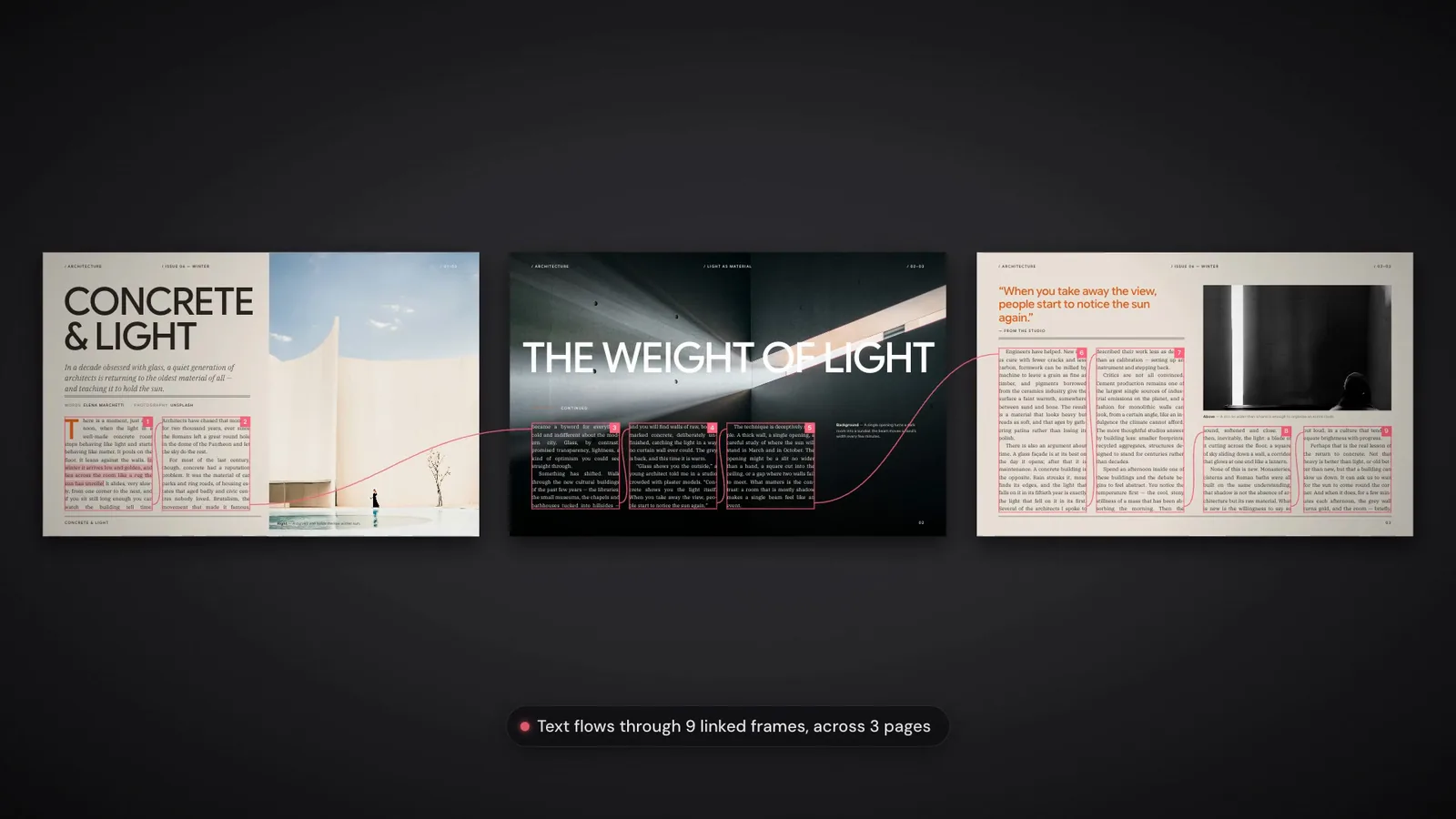
Long text now flows through linked text frames, across as many pages as it needs. Add a sentence, cut a paragraph or change the font size, and the rest of the text moves along on its own. (Standard and Pro)
And more
Royalty-free images from Unsplash and Wikimedia Commons, searchable right inside the app. HTML rendering five times faster. A new account area, where you manage your licenses, renewals and invoices. And a long list of fixes and improvements across the app, many of them from the people who tested the beta.
Two plans
| Standard | Pro | |
|---|---|---|
| Price | €24 a month or €149 a year | €69 a month or €399 a year |
| Full editor, interactivity, every export | ✓ | ✓ |
| Accessible EPUB 3 export (Ace by DAISY) | ✓ | ✓ |
| Text that flows from page to page | ✓ | ✓ |
| AI assistant (your own API key) | ✓ | |
| Import from Word and reflowable EPUB | ✓ | |
| Import from Adobe InDesign | ✓ | |
| Automatic read-aloud sync | ✓ |
Prices are plus VAT. See the plans.
What changes for you
License holders
Your license covers PubCoder 6 Standard. Update from inside PubCoder or download it; it activates with your current account.
- Nothing changes until your license ends. It keeps working, PubCoder 6 included, until its end date.
- From your next renewal, Standard costs €149 a year or €24 a month, plus VAT. We'll remind you by email before your license ends, and you renew from the Licenses page of your account.
- Pro: you can try it free for 7 days from inside PubCoder (open the Account window and click "Try PubCoder Pro"). As an existing customer you also have a Pro offer for your first year: you'll find it in the email we sent you about PubCoder 6. Can't find it? Write to us.
- Want Pro now? Upgrade from the Licenses page at any time. You pay only the Pro difference for the time left on your license (€250 a year, counted by the day), and your end date stays the same.
- You can switch back to Standard or cancel at any time from Licenses.
Using InDesign import? See InDesign users.
Lifetime licenses
Your lifetime license (AppSumo) covers PubCoder 6 Standard, with nothing to pay. Update from inside PubCoder, or download it and sign in with your current account.
InDesign import has moved to Pro, and PubCoder 5 still has it: see InDesign users. You can try Pro free for 7 days from inside PubCoder, and until 31 January 2027 lifetime license holders have a Pro offer for the first year: it's in the email we sent you about PubCoder 6. If you don't renew Pro after that year, you go back to your lifetime Standard license.
Team and school licenses
If your license comes from your organisation, PubCoder 6 Standard is included and there's nothing to do: your administrator manages renewals. Schools, universities and teams who want Pro for everyone: ask us for an offer.
Beta testers
Thank you. Your reports shaped betas 2 and 3: more AI models, page vision on Windows, exports up to twice as fast and a long list of fixes. Your 30% beta discount now works on any plan, Pro included, monthly or yearly: the code is in the email we sent you about PubCoder 6. The beta is over, so please download the final version. Your beta projects open in it.
New to PubCoder
Try PubCoder free for 15 days. During the trial you can also turn on Pro for 7 days from inside PubCoder, with the AI assistant, import and read-aloud sync. Start it early: the Pro days end when your 15-day trial does.
InDesign users
In PubCoder 6, InDesign import is part of Pro. If you'd rather stay on Standard, PubCoder 5 still has it, and your license (or your lifetime license) keeps activating it:
On Mac, PubCoder 5 and 6 can stay installed side by side. On Windows, installing PubCoder 6 replaces PubCoder 5, so if you need InDesign import there, stay on PubCoder 5 until you're ready to switch.
Set up the AI assistant
The assistant is part of Pro (or the 7-day Pro trial). It uses your own API key, so you pay the provider only for what you use.
- Create an API key with one provider: Anthropic (Claude), OpenAI or Google (Gemini). You may need to add a payment method or prepaid credit on the provider's site. A Claude Pro or ChatGPT Plus subscription doesn't work here: it's a different product.
- In PubCoder, open PubCoder ▸ Settings… on Mac or Edit ▸ Settings… on Windows, then the AI Assistant tab. Choose the provider and the model, and paste the key.
- Open the assistant in your project and describe what you want.
The key stays on your computer and requests go straight from PubCoder to the provider.
Questions?
Write to support@pubcoder.com, or reply to the email we sent you. We read everything.